Home avatar

Thoughts and code

Azure Service Bus - Canceling Scheduled Messages

When Marty went back to 1955, he had no idea how to make it back. Using Azure Service Bus BrokeredMessage property ScheduledEnqueueTimeUtc to schedule a message in the future would feel the same when the need to cancel the scheduled message would arise. Congratulations, you’ve scheduled a message. Sorry, there’s no way to call it off until it happens. Gladly, the Doc (read ASB team) has introduced a new feature in the latest 3.3.1 version that allows to schedule a message and cancel it on demand, before becoming visible/available.
Updating Azure Service Fabric Settings

Coming from the world of web applications where configuration file update is a matter of dropping a new version of a web.config file into the application, Azure Service Fabric can be a new territory. Especially with its hard rule on versioning code, data, and config packages. The config package update is what I’d like to focus on in this post.

Versioning is done on the package level with multiple components that need to be packages. Each package represents an Azure Service Fabric Application. An application consists of services. Both Application and services have manifest files.

Centralized Dead Letter Queue with Azure Service Bus

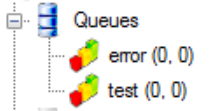
Azure Service Bus provides a robust Dead Letter mechanism. Each queue (or subscription) has its dead letter queue (DLQ).

enter image description here

Messages ending up in DLQs are not necessarily poisonous, and potentially could be resolved by re-processing. That means DLQs should be monitored to allow dead lettered messages to be analyzed and re-processed if needed. The issue with this approach is monitoring and troubleshooting. When a number of queues is significant, monitoring becomes a real headache. When a message is moved to its DLQ, it’s obvious what queue did it fail. But what about centralized DLQ? If dead lettered messages from various queues are moved into a centralized DLQ, knowing message origin is important to send it back for reprocessing.

NuGet V3 - Find and Download a Package

While working on a side project, I’ve run into a need to discover the latest version of a given NuGet package and download it. Being a side project, I’ve decided rather that using NuGet v2 API to try out v3. I was hoping to find some documentation at the official site, but that didn’t turn out to be as successful as I was expecting. All my attempts to figure it out on my own were failing and had to admit it felt nasty. After fiddling with it, trying to get some information on the interwebs, posting a question on SO, cursing at the dozens of NuGet packages required just to query, almost gave up. The hope came from Maarten Balliauw at MyGet. He suggested rather than going through something that is not quite an API and frankly way too complicated, to just go through the raw NuGet REST API.

Template an existing Azure Function

Do you need to create an Azure Function based on an existing one? While there’s no a way to do this using the portal, I found it a temporary workaround. Head to the SCM portal (kudu portal). If you functions project is called X, then that would be https://x.scm.azurewebsites.net.

Next, navigate to the console. In the console xcopy your existing function folder to a new one.

Building NuGet Notifications Nano Service with Azure Functions

Cloud Services (CS), then WebApps (formerly Web Sites), then WebJobs, and now Azure Functions. Are Functions to replace the predecessors? Well, before we jump into conclusion and “function” it all, I wanted to find where functions would make sense. Among the things I do, I maintain a repository that has a dependency on Azure Service Bus (ASB). Whenever a new version of ASB is released, I’d like to get notified. Yes, there are services to achieve it. Though, imagine there are none. This kind of “service” is a self-contained. Very simple functionality and dependencies. The behavior is clear: detect if there’s a new version of the package. If there’s one, send a notification (email). Repeat the procedure every given period.

Azure Service Bus - Purging Queues

Testing code that involves queues always has some utility code that is responsible for test cleanup. The cleanup is often implemented as a queue purge operation. For example, MSMQ allows to delete all messages in a queue by calling a Purge() command on a queue.

Task vs async Task

How often do you write code and think about what will it look like the compiler is done with it? If you’re like me, not often. But is it a good thing that over the time we’ve learned to trust unquestionably the compiler and blindly rely on it to do the job for us?

I was lucky to get some guidance from Daniel Marbach on async/await and the importance of understanding code optimizations that compiler is performing. Without any further due, let’s dive into an example.

Azure Service Bus - AutoRenewTimeout

I was reading a question on StackOverflow where the requirement was to “Lock a Service-Bus Queue and prevent others from accessing it.” Quite often when dealing with competing consumers and PeekLock mechanism it feels odd. What do you mean I’m in the middle of processing my message and it will re-appear on the queue?! Why do I need to worry about some LockDuration?! The answer is simple. The server allows the receiver to handle the message and completes it within LockDuration time. If the operation takes longer, the server will no longer respect the original lock token as it will be replaced by another receiver that got the message.

Getting to Environment Variables Fast

I tend to keep connection strings, security tokens, and other secrets in the environment variable. This is handy when you commit your code to a public repository and want to make sure that your storage account connection string is not shared worldwide. It’s also convenient because all those variables can be accessed in almost any hosting environment (VM, Cloud Service, WebJob, Azure Function, you name it). The downside - getting to those environment variables fast to modify those.