Home avatar

Thoughts and code

Azure Service Bus - Deploying with ARM

Azure Service Bus still can’t be created at the new portal, aka Ibiza. To create Azure Service Bus namespace and create entities, one has to do in manually at the old portal. That wouldn’t be so bad, but the lack of controlling what Resource Group the new namespace will belong to is a slight impediment for those that like their resources to be at the right places.

Luckily, there’s an option to deploy ASB resources using ARM templates. And there are also a few templates to demonstrate how to do it. Unfortunately, those templates utilize Switch-AzureMode cmdlet that is no longer supported.

Cloud Services - Cached Version of Asseblies

Today have run into an interesting issue: a cloud service deployed with a 3rd party assembly version X was failing. The exception was indicating that version X-1 of the assembly was deployed. Looking at the project packages.config could see nothing but version X of the assembly. Quite a mystery.

After scratching my head, I couldn’t think of anything other than a wrong version of the assembly being deployed. But how?! The version of the NuGet package is right. Deployment takes whatever the package is providing. What could it be, a cached assembly file? Hmmm, I’d think that rebuild would wipe the output.

Azure Service Bus Premium - Message Size

Messaging is about small messages. You should keep your messages relatively small. If you have fat messages, you’re doing it wrong. All valid statements, until you look closer at the Azure Service Bus Quotas information. The ones that are sometimes hard to digest would be:

  1. Message size for a queue/topic/subscription entity - 256KB
  2. Maximum header size - 64KB

It means up to 192KB for the payload. For the most scenarios, 192KB is a lot of data for a payload. If your message is slightly over that size, you’re out of luck and will have to look into implementing a claim check pattern. Unfortunately, that mean the message is handled by more than a single service (Azure Service Bus and Azure Storage). Till recently that was the only option. Facing size limit, this is where you might reconsider Azure Service Bus Standard tier and trade your old ride for a new one: Premium Tier.

Azure Functions

When Azure Functions were announced at the Build2016 conference, I had to see what is it. Part of my curiosity was fueled by the same thought I had for WebJobs when those where announced first. To be more specific, an alternative hosting environment for NServiceBus in the Azure cloud. I’ll share my personal conclusions in a little bit. However, first, what are Azure Functions?

Azure Functions are lightweight functions that are executed as a response to various events. An HTTP call, a new blob in Azure Storage, a new message on a storage queue, web hook invocation, etc. Sounds very similar to what WebJobs are doing. Indeed. It is because Functions are implemented on top of the WebJobs, running on top of Kudu project. Big difference between the two is how they are running. To run WebJobs, Azure Hosting Plan is required, executed 24/7. Azure Functions while can be executed on an existing Hosting Plan, can also run using Dynamic Hosting Plan. Runs the functions when those are triggered. Hence, the charge is based on the amount of memory function is using, times time it was running.

Choosing Topology with Azure Service Bus

Last week at the Calgary .NET usergroup presentation on Azure Service Bus I was talking about different options the services provides. Along with that, have also noted the quotas and limits subject to tier and usage. There were good questions asked, and one of those question I’d like to highlight here - choosing what topology to use with Azure Service Bus.

When working with ASB, quotas and performance are the a few things to keep in mind when designing your topology. Below, is an example of a topology.

Azure Service Bus - Number of Messages in a Single Transaction

Azure Service Bus will not accept a transaction with more than a 100 messages. Not even if you send a batch. It is still a subject to the maximum 100 messages. If you try to send more, the exception “Cannot send more than 100 messages in a single transaction.” will be upon you.

This limit is not documented, so keep that in mind :)

Azure Service Bus - OnMessage API

When it comes to receiving messages with ASB, there are plenty of options:

  • QueueClient to receive messages from queues
  • SubscriptionClient to receive messages from subscriptions
  • MessageReceiver to receive messages from queues or subscriptions (which is convenient since doesn’t require particular receiver type per entity type)

All support Receive/ReceiveAsync for a single message receiving operation. Though usually, when you receive messages you receive those throughout your entire application life and need a message pump. While it sounds not a complicated task, many aspects need to be taken into consideration when building a message pump. What’s nice with ASB is that you don’t have to. It’s given to you with OnMessage API.

EventProcessorHost Inject Dependencies

Processing with Azure EventHubs can be significantly simplified if using EventProcessorHost. EventProcessorHost is using Azure Storage account to track last read locations (pointers) in event hub partitions.

enter image description here

In order to start a host, eventHubName, eventHubConnectionString, and storageConnectionString need to be passed in (eventProcessorHostName could be a GUID or anything else).

Reducing Comments Clutter with GitHub Reactions

Last week GitHub has introduced what seems like a small feature, but a huge comments de-clutter if you ask me: reactions. I’ve been using Slack for quite a while and among the feature that slack has had for a while was reactions for comments. From the UI perspective, reactions allow to provide the needed feedback w/o taking too much of the vertical space.

When a discussion is taking place, situation when people agree or disagree and desire to make sure that their voice is heard and counted is quite a norm. This how it would look like with GitHub so far:

Azure Service Bus - NoMatchingSubscriptionException

Azure Service Bus has a rich pub/sub mechanism supporting multiple options.

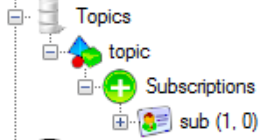
For each topic, there might be multiple subscriptions. Each subscription can contain one or more rules. If one of the subscriber rules is evaluated as true, a message published on the topic is copied to subscription, which is a queue on its own.

enter image description here

When no rule evaluates as true, a message will not be stored with subscription and will be discarded.